![PP LOGO.svg]](https://help.piranhaprofits.com/hubfs/PP%20LOGO.svg)
STEP 1: Log into your account at https://insight.piranhaprofits.com/login/
STEP 2: Enter the email address that you used when you purchased the subscription and your password. Acknowledge and agree to the Terms of Service & Privacy Policy and log in.
( If you don't remember your password, click the "Forgot Password" link at the bottom of the login page or click here for further details)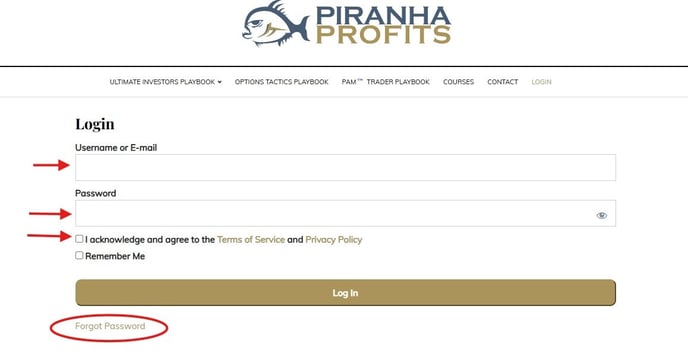
STEP 3: From the Options Tactics Playbook drop-down menu, click on OTP WEBINAR REPLAY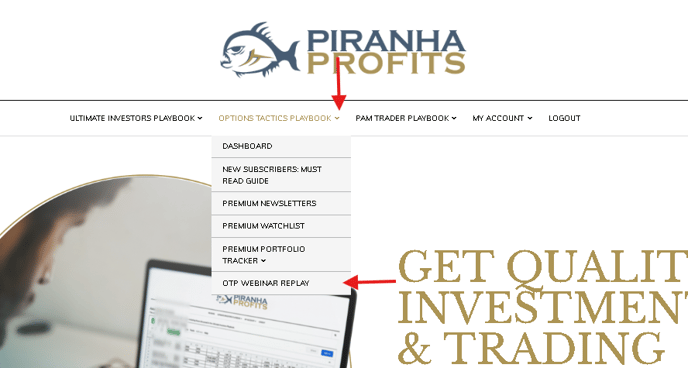
STEP 4: You should see the Options Tactics Webinar Replay recordings to watch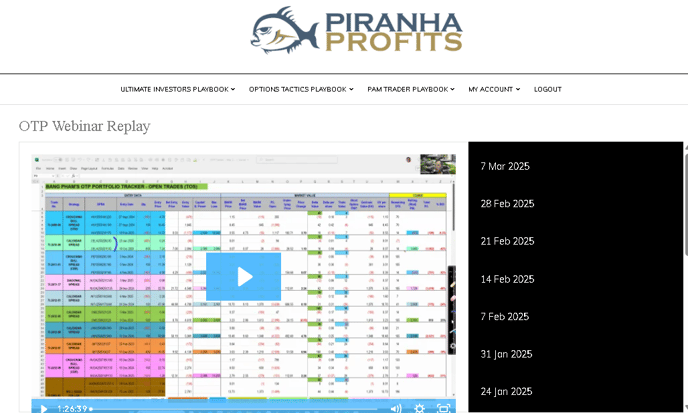
If you need any further assistance, do not hesitate to contact us via support@piranhaprofits.com, and our team will be at our best to assist you.