![PP LOGO.svg]](https://help.piranhaprofits.com/hubfs/PP%20LOGO.svg)
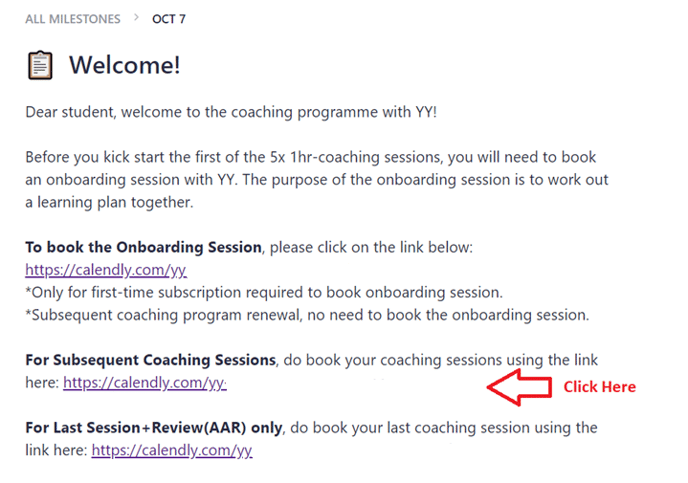
Step 1: Click on the Subsequent Coaching Sessions link
Step 2: Book your time slot
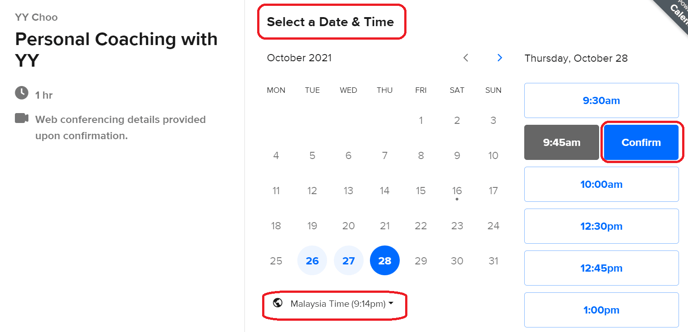
a. Select the Date.
b. Select your time zone.
c. Select the Time.
d. Click on “Confirm”.
Step 3: Provide your personal information, then click on “Schedule Event”
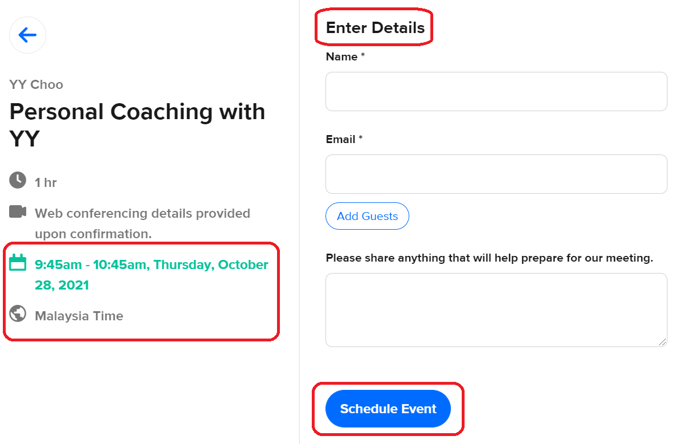
a. Make sure your booking slot (Date & Time) is correct.
b. Enter your personal details.
c. Click on “Schedule Event”.
After you have made your booking, you will receive an email confirmation with the Zoom Room Link.
If you still encounter any issues, please email the team at support@piranhaprofits.com.